
Download Sofa Control – Apple Remote, Mac automation, free remote app
Overview of Sofa Control
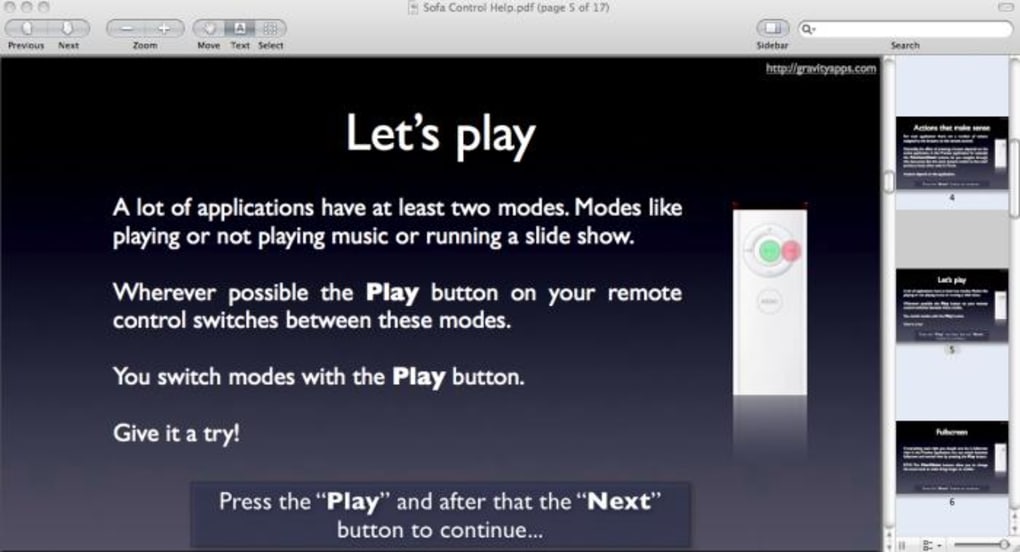
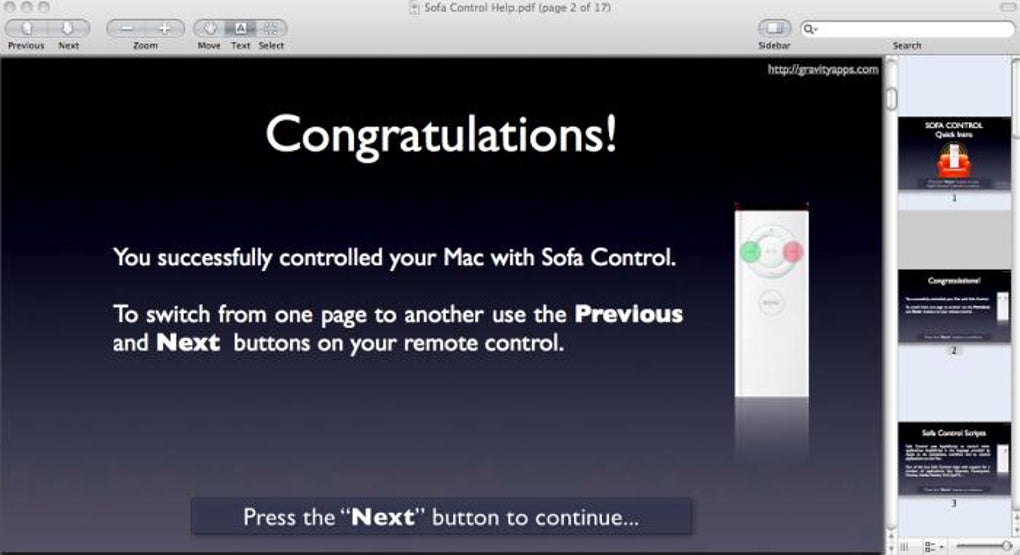
Sofa Control is a lightweight macOS utility that transforms the classic Apple Remote into a versatile command‑center for virtually any application on your Mac. While many users limit the Apple Remote to iTunes playback or Front Row previews, Sofa Control unlocks a deeper level of integration by translating remote button presses into AppleScript commands. When you launch the program, a concise five‑minute tutorial walks you through the core concepts, showing how the remote can pause VLC, skip tracks in iTunes, advance slides in Keynote, or even act as a rudimentary mouse pointer.
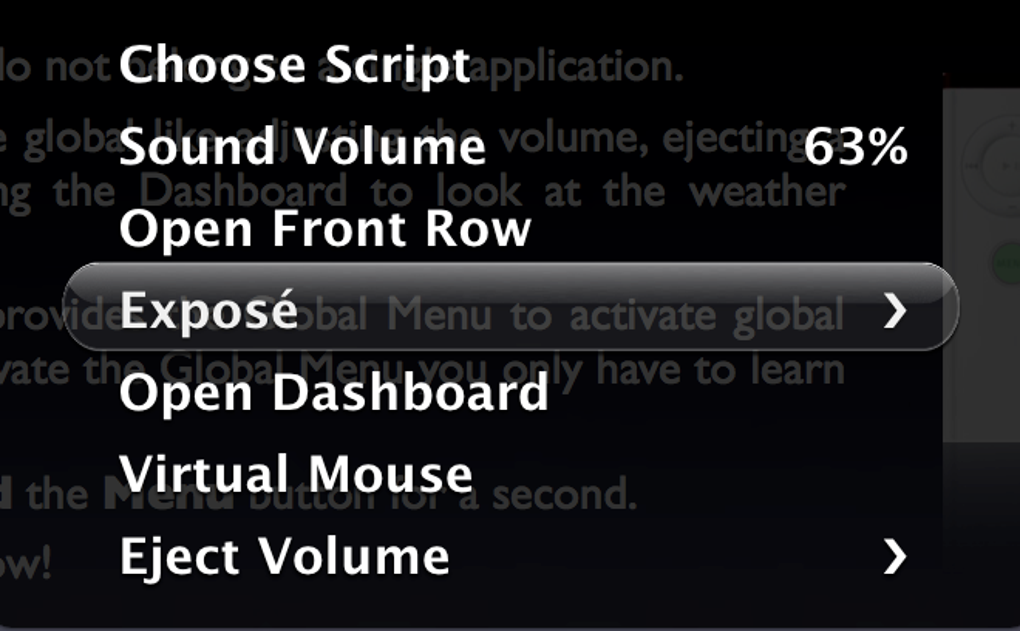
The app is built on a straightforward AppleScript engine, which means it can be extended to support any script‑able app. Sofa Control also includes a “control menu” that appears when you hold the Menu button, giving you a quick glance at the currently mapped actions. If an application is missing from the menu, you can assign custom scripts or enable the remote‑as‑mouse mode—useful for controlling media players or presentations from a distance.
License prompts appear intermittently, but they can be dismissed with a simple press of the “Next Track” button, keeping the experience frictionless. Ideal for home theater enthusiasts, presenters, and power users who crave a hands‑free way to navigate macOS, Sofa Control delivers a polished, user‑friendly interface without demanding a steep learning curve.
Key Features of Sofa Control
- Full Apple Remote support – works with original aluminum and newer IR remotes.
- Pre‑built script library for popular apps: VLC, iTunes, QuickTime, DivX Player, Snow Leopard utilities.
- Custom AppleScript mapping – create or import scripts to control any macOS application.
- Remote‑as‑mouse mode – navigate the screen cursor using the remote’s directional pad.
- Dynamic control menu – hold the Menu button to view available actions for the active app.
- Network volume browsing – access shared drives directly from the remote interface.
- Lightweight footprint – runs silently in the background with minimal CPU usage.
- Automatic license‑prompt dismissal – simply press “Next Track” to close purchase dialogs.
- Compatibility updates – supports macOS Snow Leopard 10.6.2 and later, including newer remote hardware.
- Easy tutorial – five‑minute onboarding that teaches you every essential function.
Installation and Step‑by‑Step Usage Guide
Downloading and Installing Sofa Control
Begin by visiting the official Sofa Control website or a trusted Mac software repository. Click the “Download Free” button to obtain the .dmg file. After the download completes, open the disk image and drag the Sofa Control icon into your Applications folder. macOS may request permission to open an app from an unidentified developer; simply approve this in System Preferences → Security & Privacy. Once installed, launch Sofa Control from the Applications folder. The first run triggers the introductory tutorial, which walks you through pairing the Apple Remote, selecting target applications, and customizing scripts.
Pairing Your Apple Remote
Sofa Control automatically detects any Apple Remote that is within range. Press any button on the remote while the app is open; a confirmation dialog will appear indicating successful pairing. If the remote is not recognized, ensure that the Mac’s infrared receiver is not obstructed and that the remote’s battery is fresh. You can also reset the pairing by holding the Menu and Play/Pause buttons together for three seconds.
Using the Control Menu
With the remote paired, hold down the Menu button to reveal Sofa Control’s dynamic control menu. The menu lists all scripts that are currently active for the front‑most application. For example, when VLC Player is in focus, you’ll see options to Play/Pause, Stop, Next Track, and Volume Up/Down. Selecting an option is as simple as pressing the corresponding remote button—Sofa Control translates that press into an AppleScript command that the target app executes instantly.
Creating Custom Scripts
For power users, the “Custom Scripts” tab provides a text editor where you can paste or write AppleScript code. Assign a remote button to each script using the drop‑down menu. Once saved, the script becomes part of the control menu, allowing you to trigger virtually any macOS function—from launching Safari to toggling Wi‑Fi. The tutorial includes sample scripts and a link to an online community repository where you can download pre‑made scripts for niche applications.
Remote‑as‑Mouse Mode
If you enable the mouse mode, the remote’s directional pad moves the cursor in small increments. This is handy for controlling media playback on a TV screen or advancing slides during a presentation when a traditional mouse is out of reach. To activate, go to Preferences → Mouse Mode and select “Enable”. While the movement is deliberately slow to avoid jitter, it offers enough precision for most remote‑control scenarios.
Compatibility, Pros & Cons, Frequently Asked Questions, and Final Verdict
System Compatibility
Sofa Control runs on macOS 10.6 (Snow Leopard) and later versions, including macOS High Sierra, Mojave, Catalina, and Big Sur. The software utilizes the built‑in infrared receiver, so it works with any Mac that includes this hardware component. For newer Macs that lack an IR port, an external USB IR receiver can be used, provided it is compatible with macOS. Sofa Control also supports both the original white Apple Remote and the newer aluminum model, ensuring broad hardware coverage.
Supported OS: macOS 10.6 – 12 (Monterey)
Pros & Cons
- Pros:
- Intuitive five‑minute tutorial makes onboarding painless.
- Extensive built‑in script library for popular media players and utilities.
- Custom AppleScript support lets you control virtually any app.
- Lightweight and runs silently in the background.
- Remote‑as‑mouse mode adds a useful fallback for presentations.
- Free to download with optional license purchase for full feature set.
- Cons:
- License prompts can be intrusive if you prefer a completely ad‑free experience.
- Remote‑as‑mouse movement is deliberately slow, limiting precise cursor work.
- Requires an IR receiver; newer Macs without one need an external adapter.
- Limited to Apple Remote hardware—does not support Bluetooth or other remotes.
Frequently Asked Questions
Can Sofa Control work with Bluetooth remotes?
No. Sofa Control is designed specifically for Apple IR remotes. Bluetooth or third‑party remotes are not supported at this time.
Do I need to purchase a license to use Sofa Control?
The app is free to download and use. A license removes occasional purchase prompts and unlocks advanced script‑editing features, but the core remote control functions remain fully functional without it.
Is Sofa Control compatible with macOS Monterey?
Yes. The latest version has been tested on macOS Monterey and works seamlessly with both the aluminum and white Apple Remotes.
Can I control VLC Player with Sofa Control?
Absolutely. VLC is one of the pre‑configured applications. You can play, pause, skip tracks, and adjust volume directly from the remote.
How do I create my own AppleScript commands?
Open Sofa Control, navigate to the “Custom Scripts” tab, write or paste your AppleScript, assign it to a remote button, and save. The new command will appear in the control menu the next time the associated app is active.
Conclusion and Call to Action
Sofa Control fills a niche that many Mac users overlook: turning a simple Apple Remote into a powerful, script‑driven interface for everyday tasks. Whether you’re a home‑theater aficionado who wants to pause movies without reaching for the keyboard, a presenter seeking a discreet way to advance slides, or a power user eager to automate repetitive actions, Sofa Control delivers a clean, responsive experience. Its built‑in tutorials, extensive feature set, and support for custom AppleScripts make it a worthwhile addition to any macOS toolbox.
While the occasional license prompt may be a minor annoyance, the app’s core functionality remains free and highly functional. If you already own an Apple Remote and want to extract every ounce of utility from it, downloading Sofa Control is a no‑brainer. Click the download button below, run the quick installer, and start mastering your Mac with the swipe of a remote.
Download Sofa Control now and transform your remote into a smart controller for macOS.







